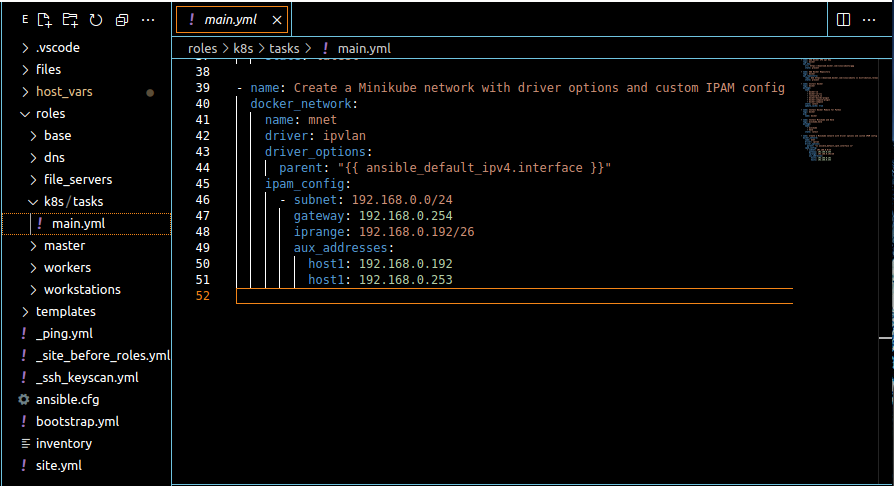
The snapshot above demonstrates how the “docker_network” module applied the driver “ipvlan,” with an IP address range, to allow for container instances to have their own IP address assignment and their traffic routed on the external network, just like any other network attached host. Keep this in mind, because we will circle back to this in a future article, where we’ll delve into Docker image design and micro-service container deployment.
Step 3: Centralizing Host Naming and IP Assignment
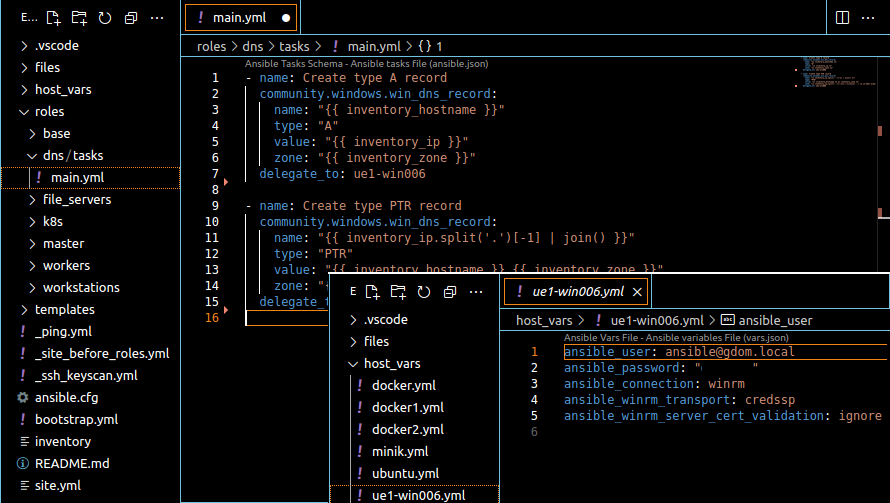
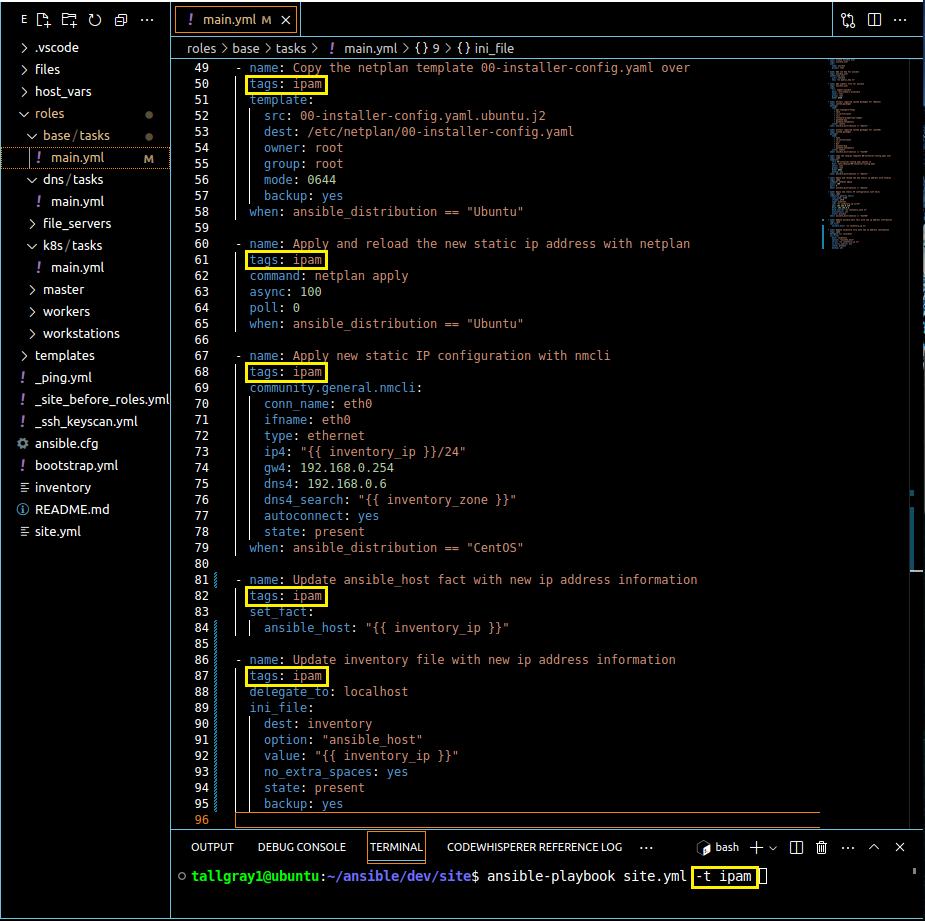
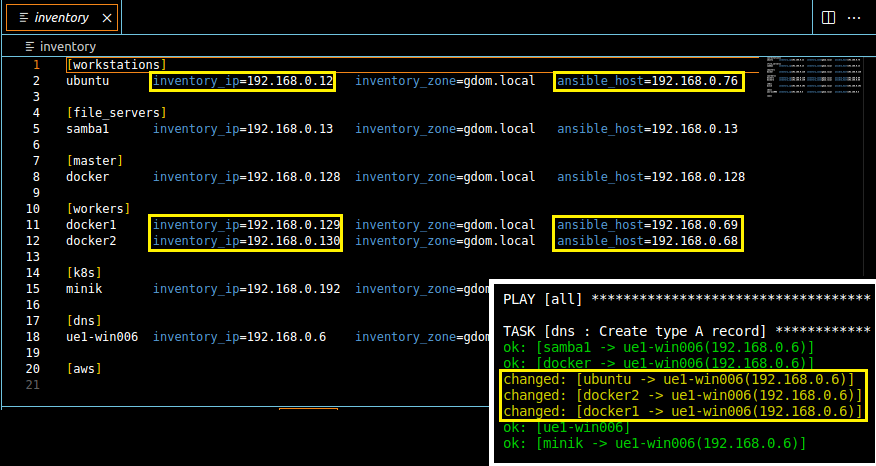
To maintain streamlined administration and management, it’s crucial to centralize host naming, IP address assignment, and zone allocation. Scroll back up and take another look at snapshots 2 and 3. If you recall from the previous article, when we defined the “inventory” file, we only set the DNS hostname under each [group] category. Notice how by expanding the variable key-value pairs in the “inventory” file we were able to correct asynchronous IP occurrences between the DNS, IPAM registry of our Windows server and the actual host network configuration. Also notice that the logical task sequencing made changes to the target host, then the Ansible facts and .ini reference file using the modules “set_fact” and “ini_file” respectively. The final result, we automatically clean up the host inventory file so target hosts, inventory definitions and IPAM registry all stay in-sync. It’s also worth mentioning that, by organizing this information in a single file location, we simplify administration and make correlation of data more manageable. If you happen to be responsible for Site Reliability Engineering, you may recognize how practices like this really add value. In all, this set up allows for easy manipulation and correction of host IP configurations, ensuring optimal connectivity and DNS/IPAM resolution throughout the site.
That’s it for this edition! As always though, we’ll continue to provide clear explanations, practical examples, and useful screenshots to guide you through each step. The aim is to equip you with the skills and knowledge needed to navigate complex concepts effortlessly.
Remember, you can clone this repository “git clone git@github.com:tallgray/ansible.git”. As always, your feedback and engagement are invaluable, so like, comment, repost, or send this article to a friend or colleague. Until next time, keep revolutionizing how we manage configuration!